🚀 New Feature Live: Configure Mandatory Fields in RX Pad
New Feature
Announcement
We’re excited to introduce a new enhancement to the RX Pad — Mandatory Fields, designed to improve prescription completeness and accuracy.
With this feature, specific fields in the RX Pad can now be marked as mandatory.
- You must fill in the mandatory fields before completing a prescription.
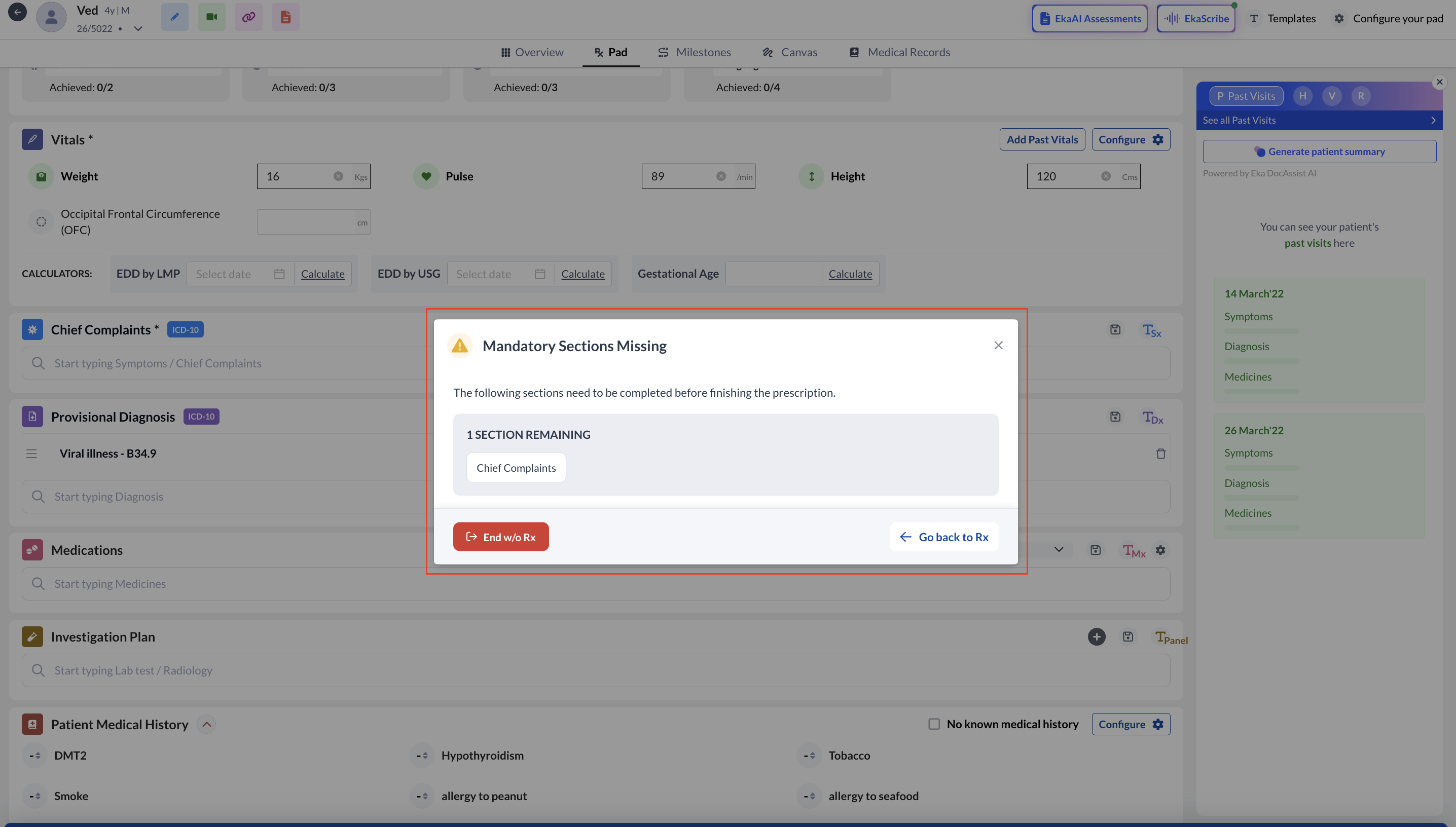
- If any mandatory information is missing, the system will show a prompt, with a clear pop-up highlighting the sections that need to be completed.
- To support flexibility during consultations, an “End Without Rx” option has also been introduced. This allows doctors to conclude a consultation without generating a prescription when required.
Configuration :
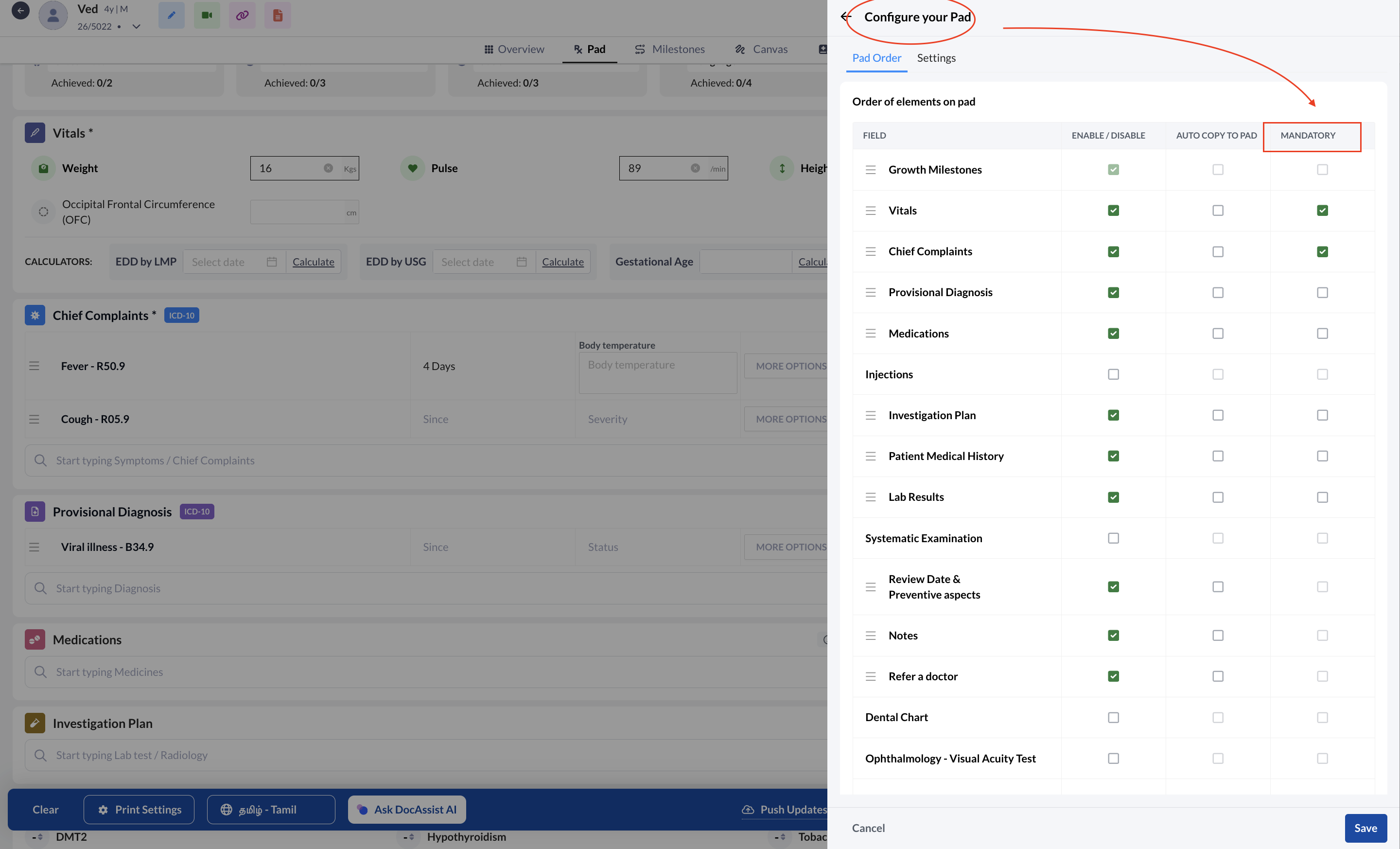
- Mandatory fields can be configured through
- RX Pad : 'Configure Your Pad' section
- My Genie section.
This update ensures greater consistency in prescriptions while continuing to support flexible and efficient clinical workflows.